Follow via RSS, Mastodon, Telegram or email.

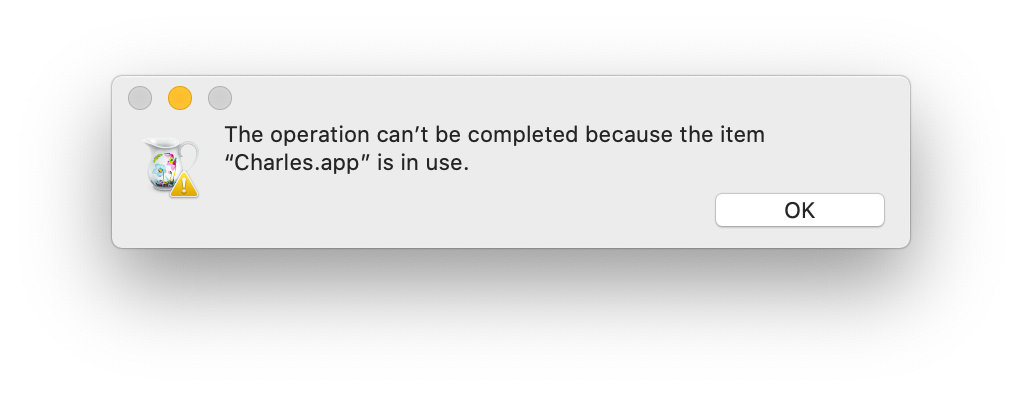
It’s a common workflow that I start an app and it tells me to download the new version from their website. I usually do that right away, mount the image and drag the app to /Applications only to be greeted by this message.

I know why it’s there but it would be nicer to just offer a “Close Application.app and move Application.app to target”. Just like what you get if you shut down your Mac and there’s still some process running which blocks the shutdown.

I guess that’s not a priority in the days of the App Store.

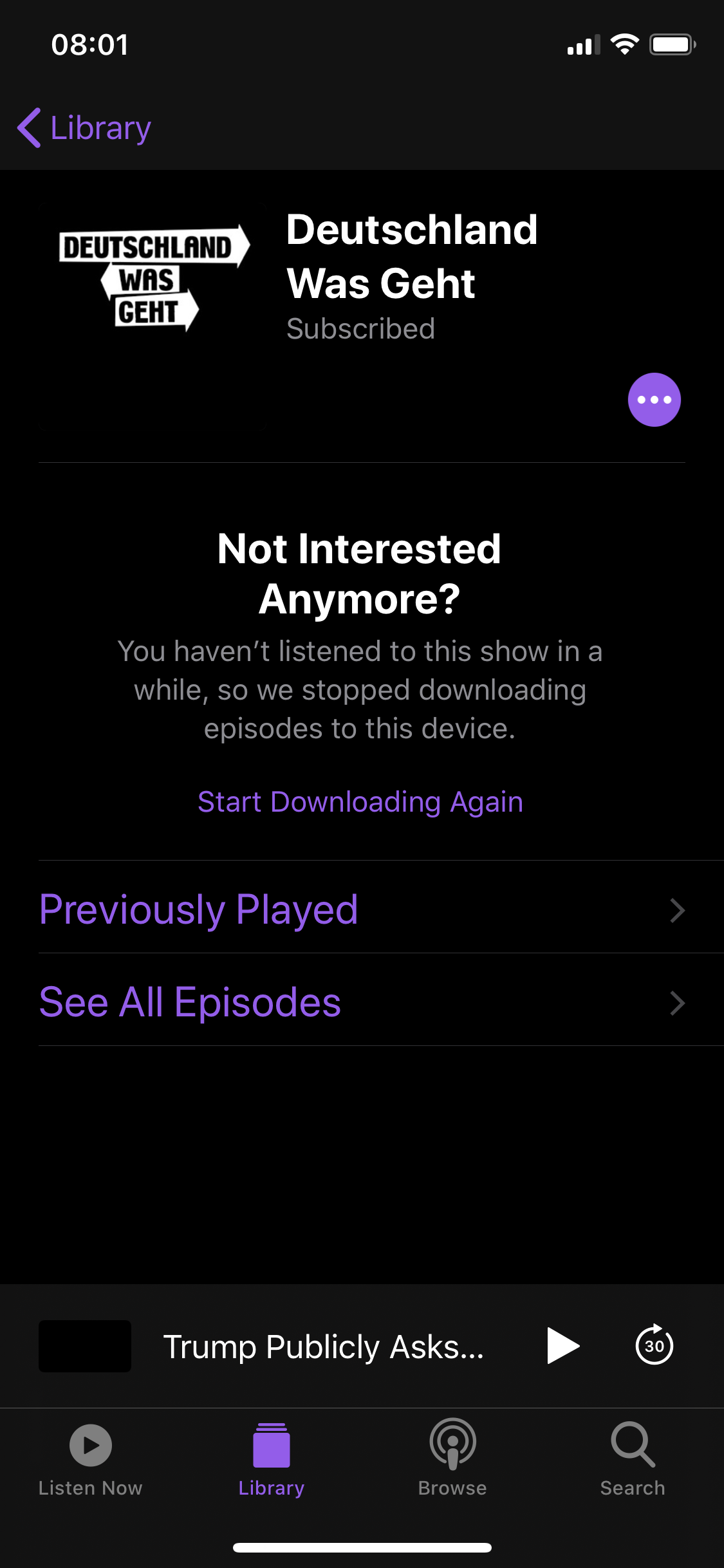
I consumed every single episode of this podcast: one per week, like clockwork. Some of them on a different device, sure. But that information is synced via iCloud. I actively subscribed to this thing. Why are you fucking with my subscriptions? It’s not like you’re Google and have an incentive to fuck around with what people see and what they don’t.

As if the mere existence of this “feature” wasn’t bad enough, of course there is also no way to disable it. And it’s hard to tell if it is buggy or just shitty: I could not yet understand when/why exactly it happens. Sometimes it disables podcasts that simply haven’t published a new episode in a while – so is it actually time-based, not play-based?

The official documentation says this:

If you stop listening to a show for a while, Apple Podcasts might pause your subscription. The shows and downloaded episodes stay in your library, but new episodes might not be updated. To continue getting new episodes, subscribe again.

“Might”. Who in their right mind thinks that “might” is an acceptable word here?

I have a very deep love—hate relationship with Photos.app. I love how most of the time the synchronization between devices works well and I can be reasonably sure that it’ll act as a backup for me. Having things visible on a map is also a very nice feature I wouldn’t want to give up.

There are so many things that are really annoying and hard to use though, apart from the whole app being very sluggish doing the most basic tasks. One such a task is tagging people in photos. After looking up how to manually tag people in Photos I learned that there are two ways according to Apple’s own support documents:

  1. Choose View > Show Face Names. Click the name (or click “unnamed”) under a face, type a name, then press Return (or choose a name that appears as you type).

  2. Click the Info button in the toolbar. Click the Add button, drag the circle to position it over the face if necessary, click the Name field, type a name, then press Return.

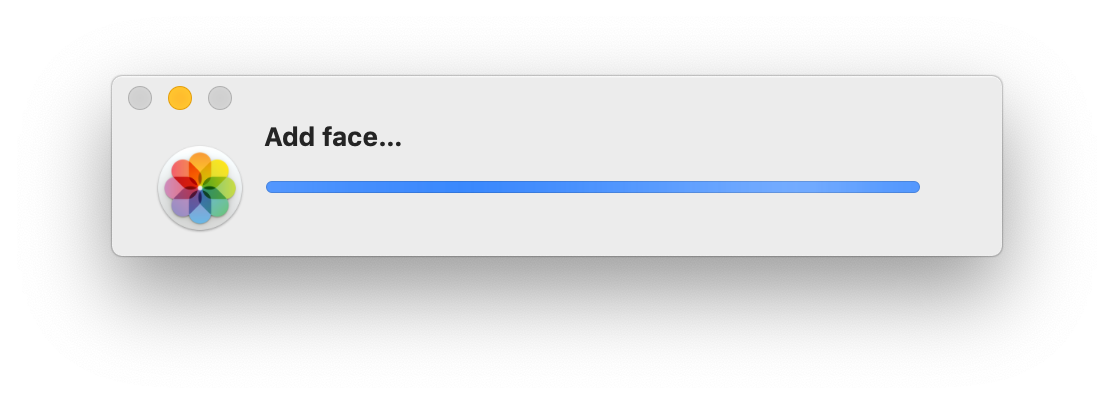
The first one didn’t work so I tried the second one and now I’m stuck in this screen that can’t be cancelled and shows up after clicking the “Add” button in the Info panel.

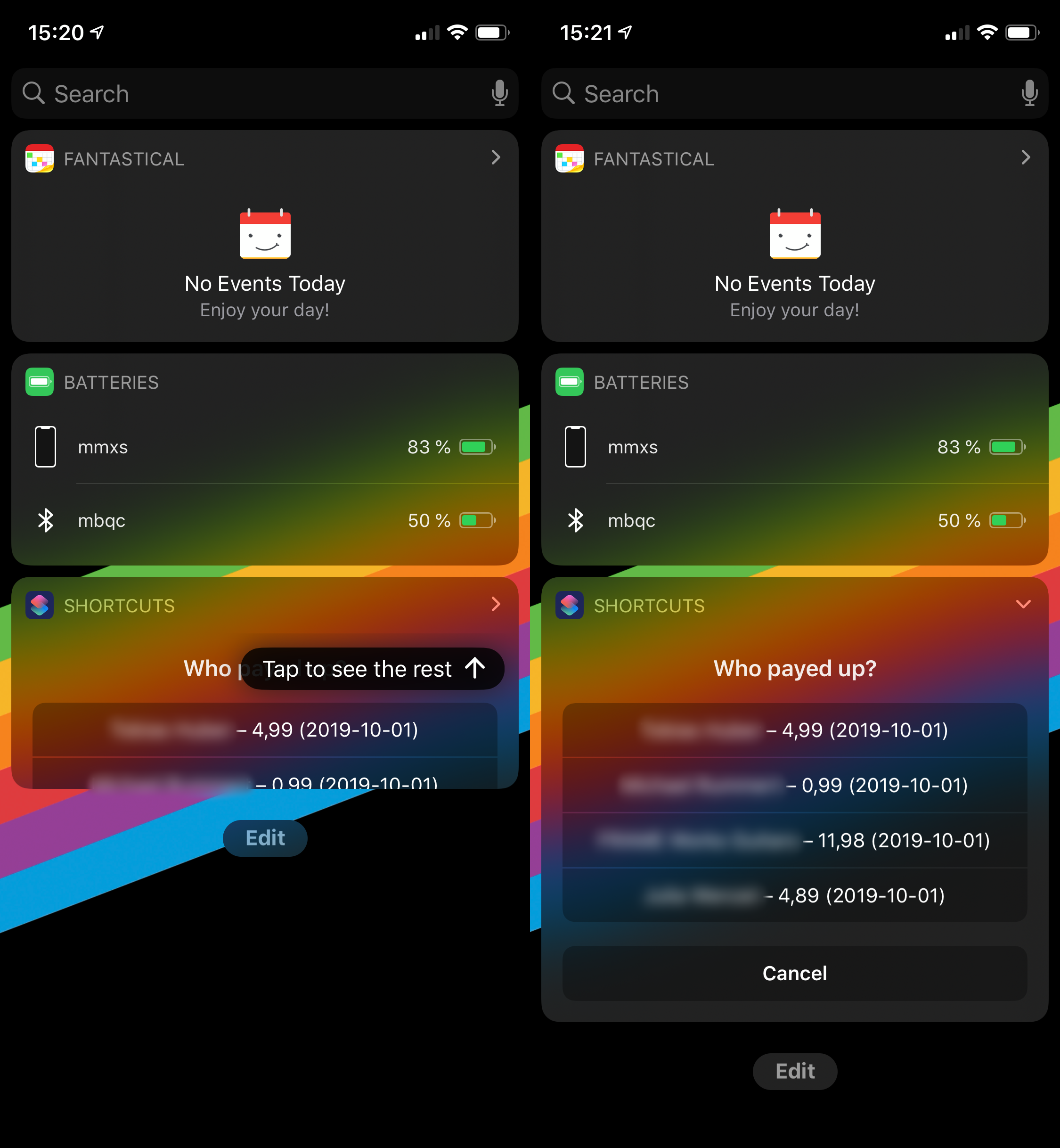
So I have this handy Siri Shortcut where I use the API of my invoicing system to mark invoices as paid. I use it from the Siri Shortcuts widget, which I usually have collapsed to reveal just my most used shortcuts. When the list of outstanding invoices is too long to fit inside the collapsed widget, somehow the system realizes this. And shows me a helpful hint on how to expand the widget. Instead of just fucking doing it. Someone specifically created this hint. The sentence in it had to be translated. Baffles my mind.

I can replicate this behavior every time I’m downloading something from the Mac App Store. You’d expect that you “Buy” an app, then it downloads and then you can open your newly purchased app.

What actually happens is that it’s stuck in a re-download loop until you launch the app via the Finder. After that you can restart the App Store and it’ll show up correctly with the “Open” label.

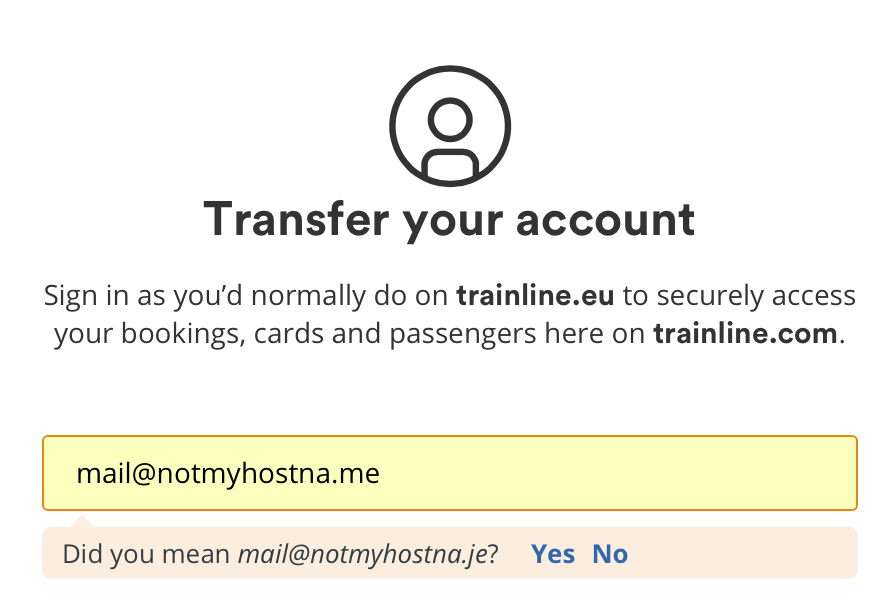
Still waiting for the day where this kind of suggestion under an email address field actually improves my life. In general—not just for a .me domain—this only seems to works if you have a typo in gmail.com.

In other, unrelated, news: Facebook still doesn’t accept .me as a valid domain ending.

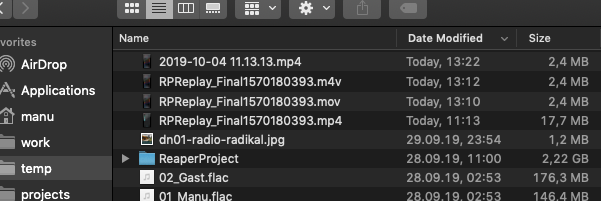
While trying to export the screen recording for the previous post I came across this: Getting it to my Mac from the iPhone via AirDrop results in a MOV container. I want an MP4 container, so that’s not good. Let’s try exporting it from Photos.app on macOS instead. Nope, that gives me an M4V. Maybe if I use “Export Unmodified Original”? Well, yes… but as you can see from the filesize, that MP4 is the uncut version with audio – not the trimmed and silenced one I need. So far, so bad. Not because I don’t get what I need, but why are these three different container formats?!

Turns out, of course internally it is an MP4 even in the edited state, so using Documents to access the file and send it to my Mac gives me exactly what I need – and even with a non-useless filename.

Cool new iOS13 feature that helps you get through your podcast queue faster: No more pausing via Control Center or Bluetooth headphones, no matter how hard or often you press the button. The behavior persisted even after going back into Overcast and pausing/playing there, where of course it worked fine.

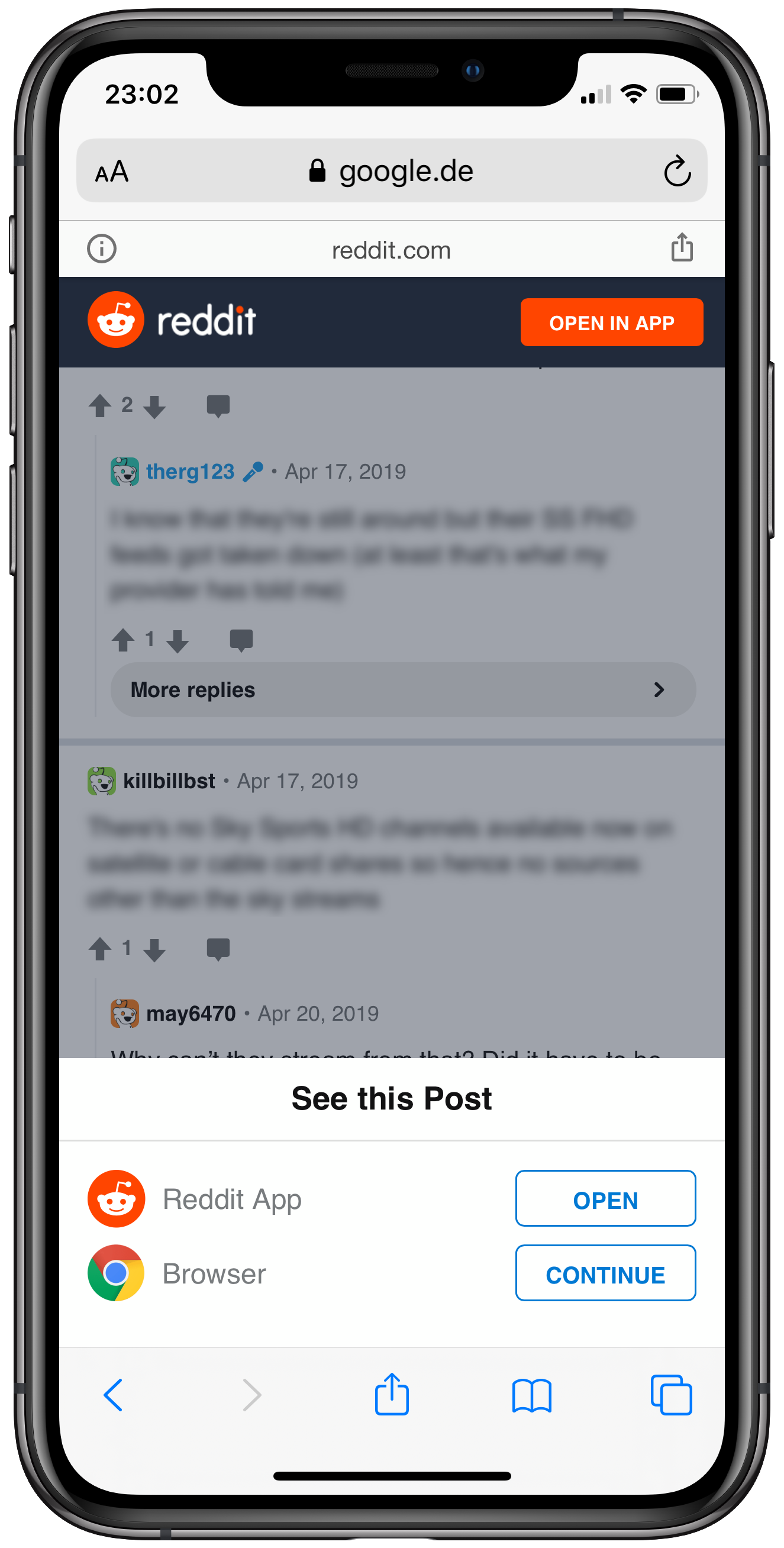
This is a classic and yet it never stops to frustrate me when I land on this screen after a Google search.

There’s multiple things in this screen that websites shouldn’t be doing:

  • It’s hosted on AMP which makes it hard to get the original URL to share (Friends don’t let friends use AMP URLs or URLs with SEO utm garbage attached)
  • Two links to promote the official Reddit app
  • The default behavior of opening the website through a browser—which is what I’m doing right now—has to be confirmed by using the “Continue” button. Why this button is labeled with a Chrome icon while I’m on Safari is unclear. It makes it look like it’s going to open Chrome (Which I haven’t installed) but all it does is removing the modal.

For some time now iMessage is extremely convinced that I have exactly one unread message. Opening iMessages reveals zero unread messages. Despite iCloud sync of Messages.app this only shows up on one macOS machine on my iCloud account and none of my iOS devices. I’m not the only one.