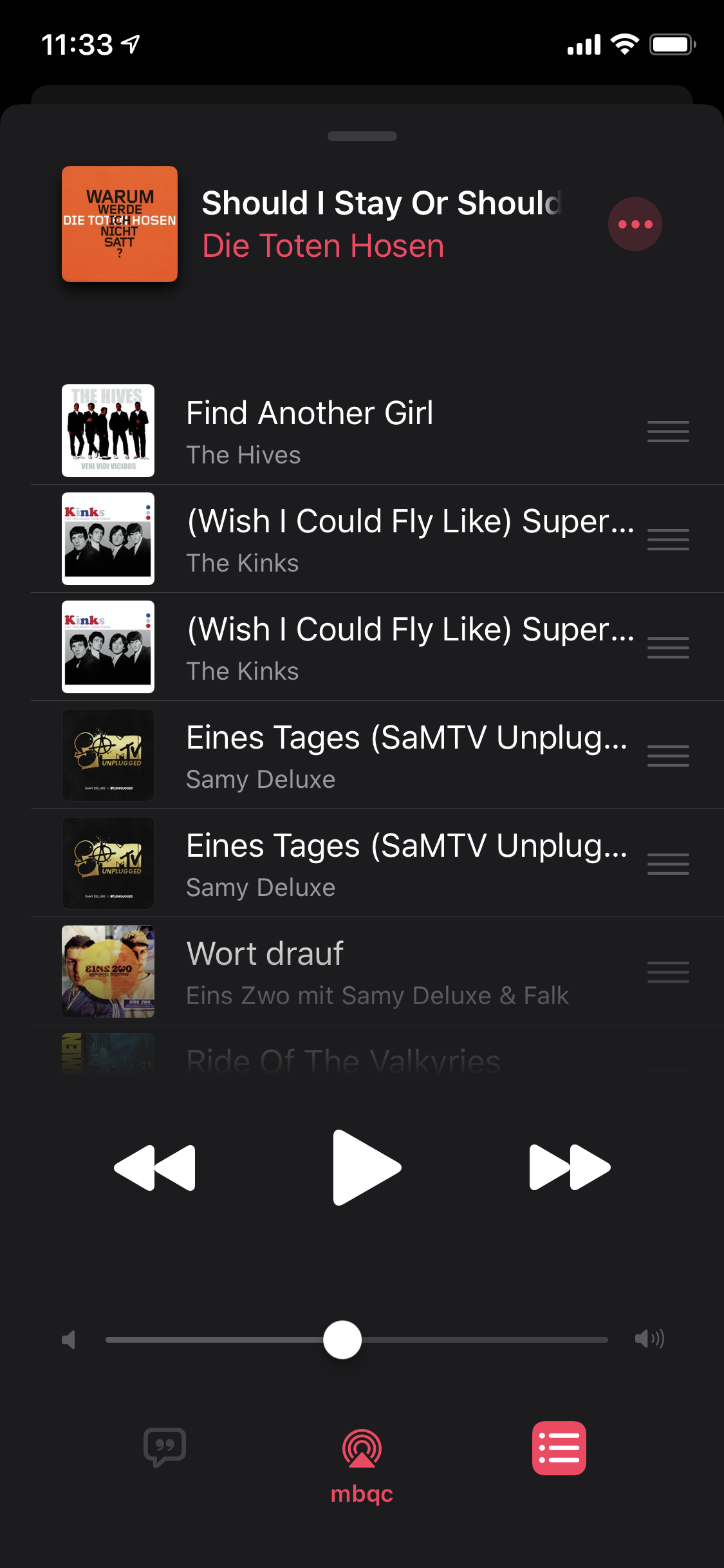
This is the list of upcoming tracks in the Music.app of iOS 13. Neither of the two songs listed twice is actually in the list twice. Upon playing one entry, the other one disappears. Roughly guessed about 5% of all tracks shown in this “Up Next” list are such duplicates for me. But that’s not the only thing wrong with that list.
First, something that’s also visible in this particular screenshot. Or rather, it is not visible. Because normally there is a header above the list that tells you whether you’re currently in the “Up Next” section or in the “History” section:
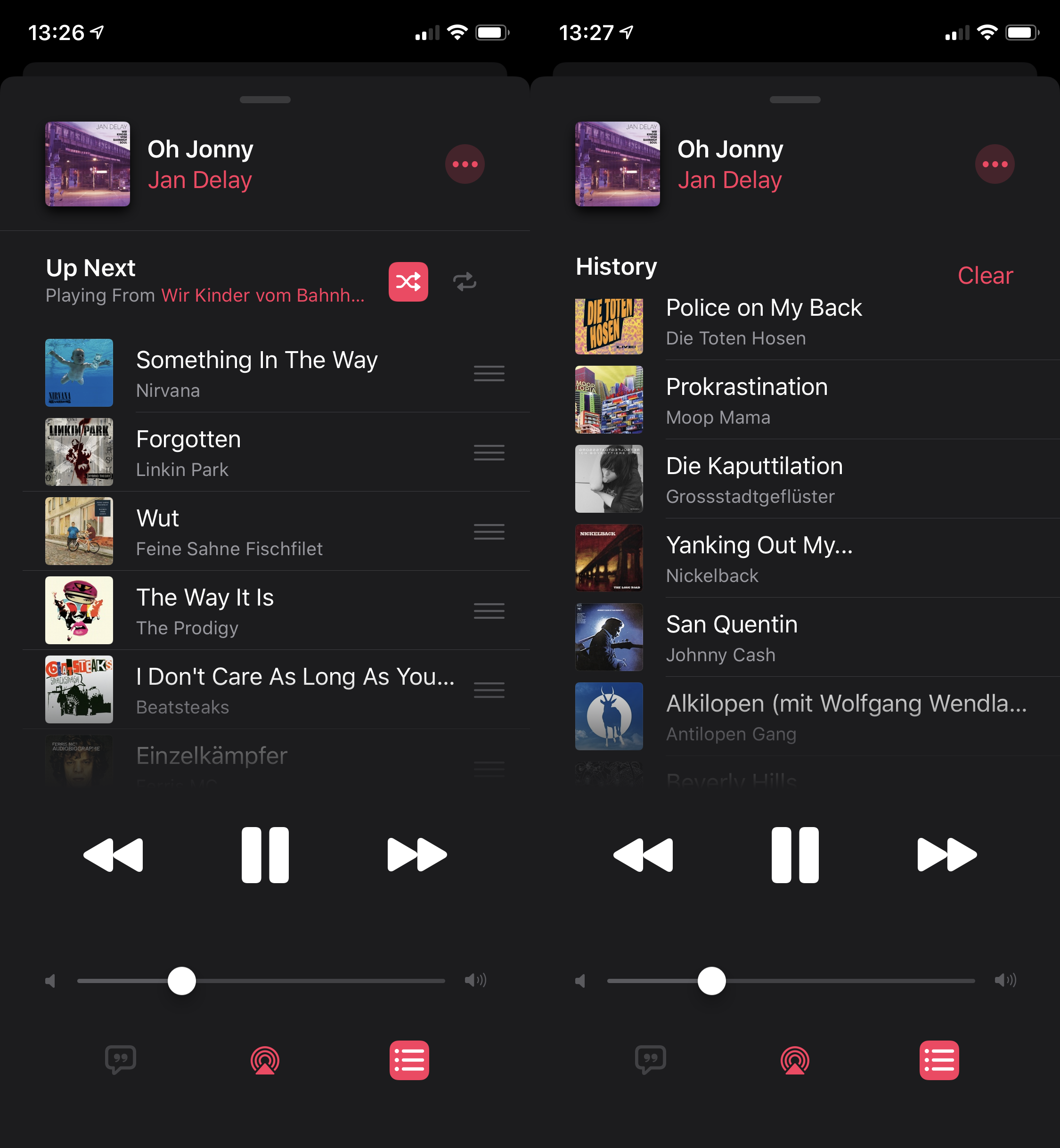
I have no idea why that is not there in the first screenshot. Sometimes it’s just not there. I can’t reproduce it, but when it’s happening, it is quite annoying indeed, because as you can see, the controls for Shuffle and Repeat are hidden there. Apparently there was no more space for those in the actual “Now Playing” screen. (Dare I mention the lock screen widget is also missing those controls, where literally twice as much screen estate as the widget uses would be available.)
Next, you can also edit the order of upcoming tracks. For example you might want to drag a song that’s coming up later to the very top, so it starts playing right after the current song. But as I said, when you scroll up from the “Up next” list, it transitions to the “History” list. Even when you’re currently dragging an “Up next” item. Of course you can’t drop the item in there, because that would make no sense at all. You have to see it to believe it – try it out, and be amazed by how the “History” header drops into the list when you drag your finger far enough to the top of the list while it scrolls (this happens with “Up next” as well).
And the thing that’s driving me absolutely insane is how ridiculously long it takes to disable/enable Shuffle. My use case is as follows: Before hopping into the shower, I check if the next few songs are cool. If they are not, I disable and re-enable Shuffle to get a new variation of songs. Repeat until satisfied, then shower. I do this daily, and I’ve been doing it for many, many years. When I started doing it, it happened as fast as my fingers could double tap the Shuffle control. It was basically instantaneous, there was no visible or percebtible delay. Since at least iOS 11 it takes about a second to switch from one state to the other. One second! To reshuffle a fucking list. I find it hard to come up with adequate words to describe how bad you fucked up as a tech company when you need a full second to shuffle a list.