Follow via RSS, Mastodon, Telegram or email.

The best way of conditioning users to immediately accept the dialogs you throw at them is to expose them to useless alerts that come out of context on a daily basis.

In this case I’m updating a JetBrains product (which I, as a tech person know is based on Java). What about a normal person though? Could also be a random crypto miner that calls itself “java”.

There are many things wrong with the Messages.app on macOS but that’s especially true for group chats. Here’s how Messages.app displays that two people in your conversation have “reacted” to a photo. Time to whip out that magnifying glass to see if there are multiple icons shadowing each other.

After long-pressing you’ll get more informations about who reacted, but only after 2 more clicks on this very weird kind of modal.

If you don’t spend a lot of money and roll with a multi-terabyte internal drive you probably have to store your Photos.app library on an external one. I’m always curious how people actually do that because for a variety of reasons like analyzing faces, transcoding and other tasks Photos.app is constantly working in the background and making it impossible to eject my external disks. I usually “Force Eject” them via the Finder which then results in a corrupted library from time to time.

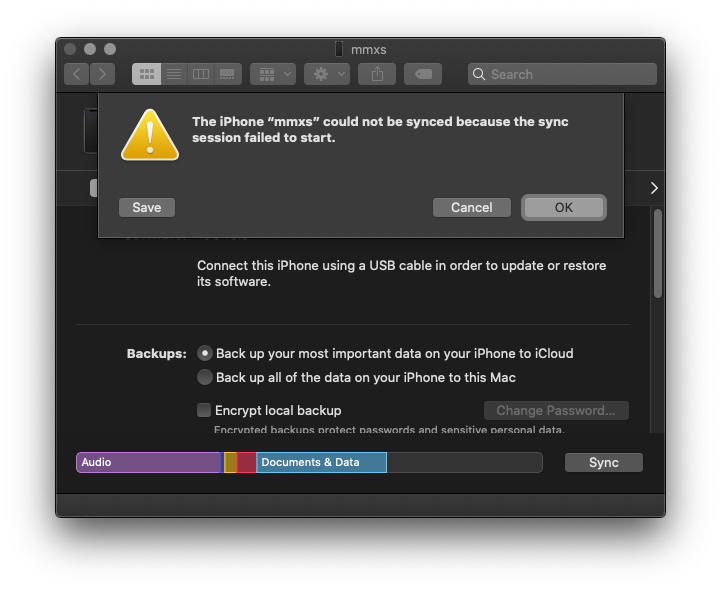
Fixing it sometimes works. If it doesn’t, Apple tells you very clearly what’s wrong: 1000.

Do I have to check the check-boxes or uncheck them to stop you from spamming me? Is it “Which emails do you want to receive” or is it “Which emails do you want to unsubscribe from”? No way to tell, there is no confirmation email afterwards, and in both cases you get the same generic “Successfully unsubscribed” result after clicking the button.

Cool new iOS13 feature that adds an additional “Speaker” to your old iPhone. Switching between the two entries has no effect. As you can see (above the artist name), even when selecting this ominous “Speaker” entry, the actual audio target is still the iPhone itself.

I wanted to change the audio output in the new Podcasts.app in Catalina from my MacBook (nmbp) to my HomePod (mmhp). Can you guess where you have to click to achieve that? Correct, you need to click the checkbox in the mmhp line. Nothing else in the UI is clickable. And they don’t behave like checkboxes, they behave like radio buttons, i.e. only one can be active at a time. So… how do you set the audio output to multiple targets, a primary feature of AirPlay 2? Well, you don’t.

For about two weeks now I’m greeted by this notification whenever I boot up my Windows 10 gaming machine. Needless to say, my password has not changed. Clicking the notification takes me to somewhere in the settings, and there is a huge “Fix now” button. When I click it, a progress spinner appears for a few seconds, and afterwards everything is fine. Without any interaction from me whatsoever. So… why don’t you just fix it automatically then? Why does it keep reappearing? What am I actually fixing? When I ignored the message for a week, everything still worked perfectly fine.

Before and after I “fix” the “problem”.

I wonder if it shows up in different spots around the button throughout the day.

Amazing usability, who doesn’t like memorizing numbers just to type them in in the next screen (the one hidden behind the popup).

Against what kind of attack does this even protect me? Illiterate phone thiefs?

I have this one iMessage conversation that (always) takes about 1.5 seconds to load when switching to it. Check the delay between the contact list marking it as the active conversation and the content actually changing.

There is nothing special about this conversation. No large media in it, or anything else that could explain it. This has been going on for almost a year now, and it keeps happening after restarting (both the app and the whole computer). In fact, this bug even survived me switching to a completely new computer, which I did not restore from backup. I just logged into iCloud and it downloaded my iMessages from the cloud – and as soon as the messages were back, the behavior was back as well.

Of course, the conversation opens as instantly as any other on my iPhone.